
Metrics – Process
1. Introduction
The dissemination of print and digital books to an assortment of platforms generates a large amount of usage data. These data are collated into a single SQL database so they can be visualized using our data visualization software. These data can subsequently also be exported for Library Metrics Reports and the Activity and Financial Report.
2. Goal & Objectives
The primary goal of this process is to collate and store monthly usage metrics.
The process covers the following objectives:
- The gathering of monthly usage metadata from all platforms we disseminate our books to, both print and digital
- The cleaning of these data
- The importing of these data into a central database
3. Role Model
The following roles are relevant in the context of this process and need to be assigned to persons or teams / groups involved in the process.
| Role | Task | Assigned staff |
| Process Manager (PM) |
|
Vincent |
| Metrics Officer |
|
Vincent |
4. Relevant Business Objects
Business objects are “things” that are required, produced, or processed by the process or one of its activities. The following objects are relevant:
| Business Object | Description |
| Usage metrics report |
Report provided by a platform containing usage/sales/distribution number for a specific timeframe |
| Database | |
| Visualization |
5. Activities
Date5.1 Table
Updating Thethe Date Table in phpMyAdmin needs to be updated every month with the last month.
ToThis add:
INSERT INTO `DateTable`(`Date`) VALUES ("2021-01-01")
To delete:
DELETE FROM `DateTable` WHERE `Date` = "2021-01-01"
KDP
Each month, download the sales data from KDP through its backend. After 90 days, data are no longer downloadable and data entry should be done manually, which iscreates a pain.
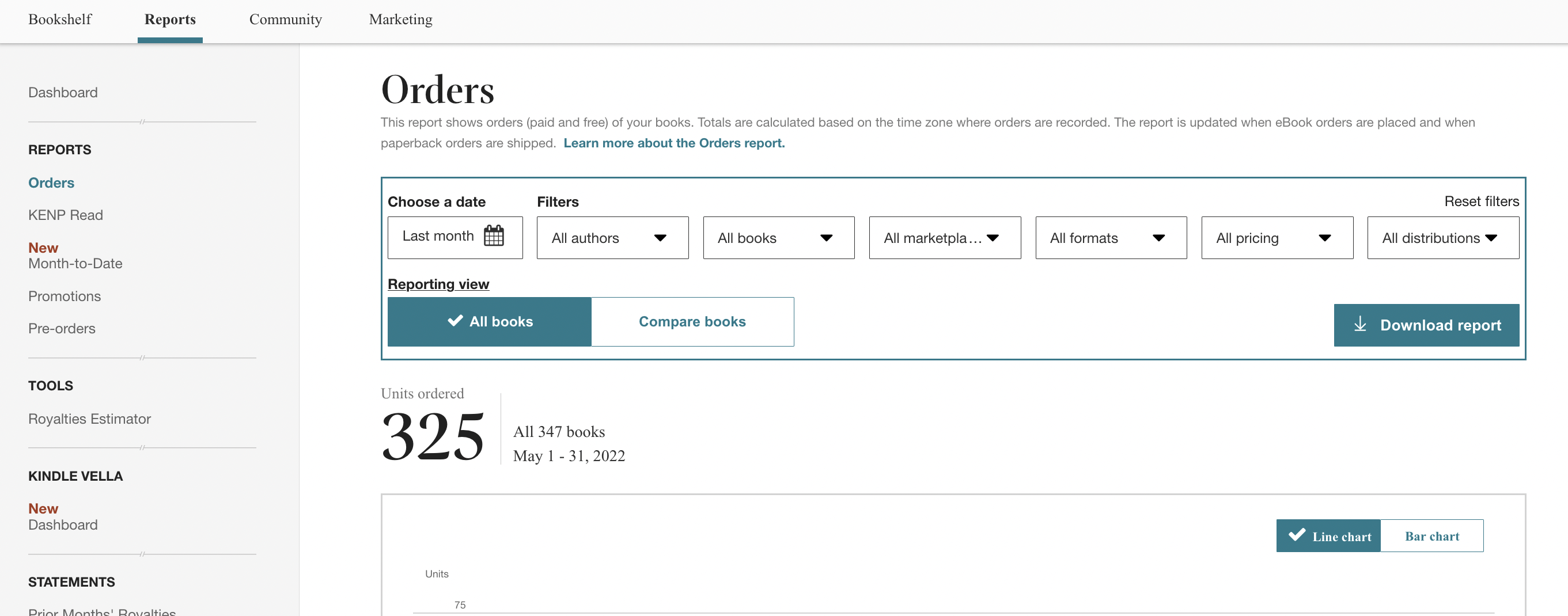
KDP delivers XLSX files.
JSTOR
JSTOR sends out a monthly email reminders to vincent@punctumbooks.com with a link to the download report, but the links in it are currently broken. So Log In in to JSTOR, and selected "Publisher Reports" from the upper right admin drop down menu.
You need both the Book Usage by Country and by Institution reports.
JSTOR delivers XLSX files.
Country
Institution
Project Muse
Somewhere halfway each month, Muse generates the usage datadatabase for the previousnew month. They can be downloaded in the backend.
Metrics Officer
OutputsUpdated usage metrics database
Actions5.2 Importing Print Publication Data (Monthly)
Metrics Officer
OutputsUpdated usage metrics database
Actions5.3 Importing Digital Publication Data (Monthly)
Metrics Officer
OutputsUpdated usage metrics database
ActionsUpdate
Update
InvoiceNinja
Sales data per product can be conveniently generated under "Reports," organized by Invoice Item. Product numbers in InvoiceNinja correspond to PBNs.

InvoiceNinja delivers CSV files. They suck.
Lightning Source
The books from the Uitgeverij imprint are hosted through Lightning Source. Reports can be downloaded from the Reports>Print Sales menu item.
Lightning Source delivers XLS files.
Lightning Source reports have bee discontinued. Their new reports can no longer be exported.
OAPEN
OAPEN-Dashboard provides a download for all countries in CSV format.
Google Books
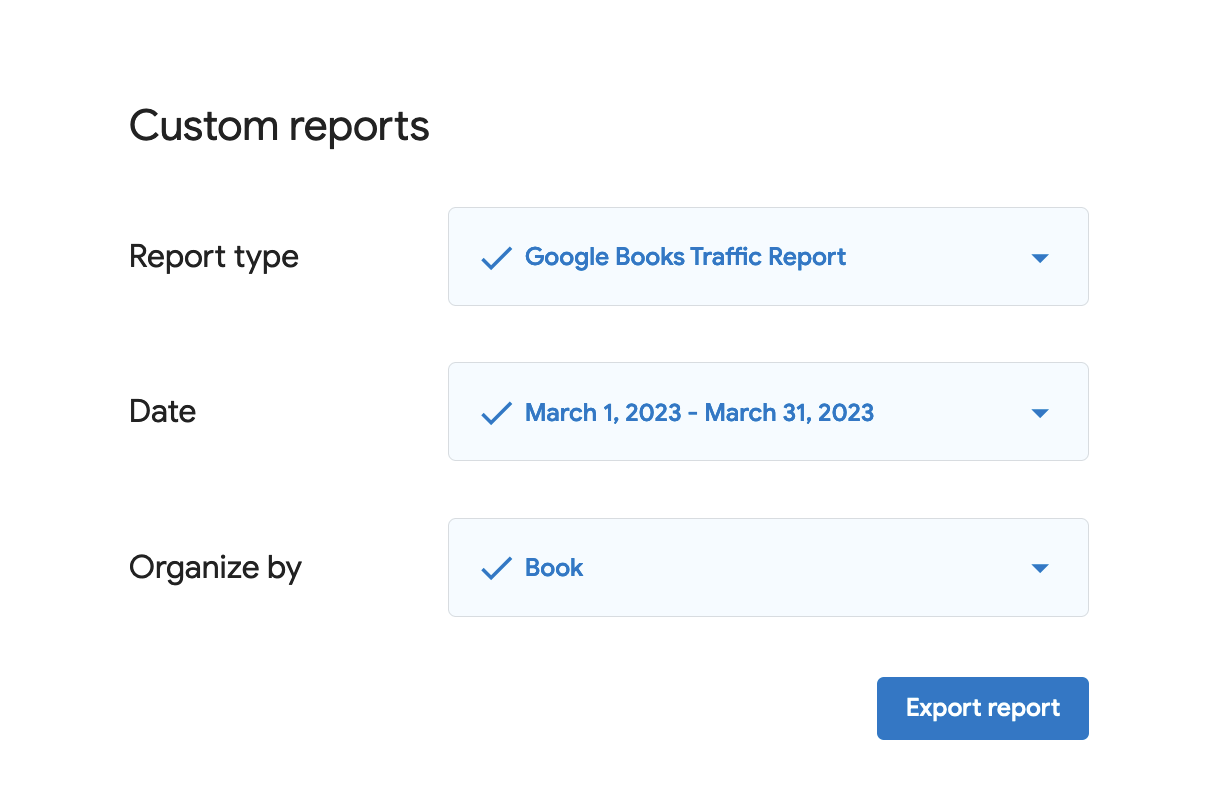
Google Books usage data are available via the Google Play Books Partner CenterUpdate.
Internet Archive
Usage data are directly extracted using the Internet Archive usageUpdate
dataCrossRef API.Event WeUpdate
have
written
5.4 Importing Digital Publication Data (Quarterly)
Metrics Officer
OutputsUpdated usage metrics database
Actions5.5 Importing Digital Publication Data (Annually)
Metrics Officer
OutputsUpdated usage metrics database
ActionsIn order to generate the data, make sure all workIds of recently published books are added, and select the correct timeframe.
Asterism
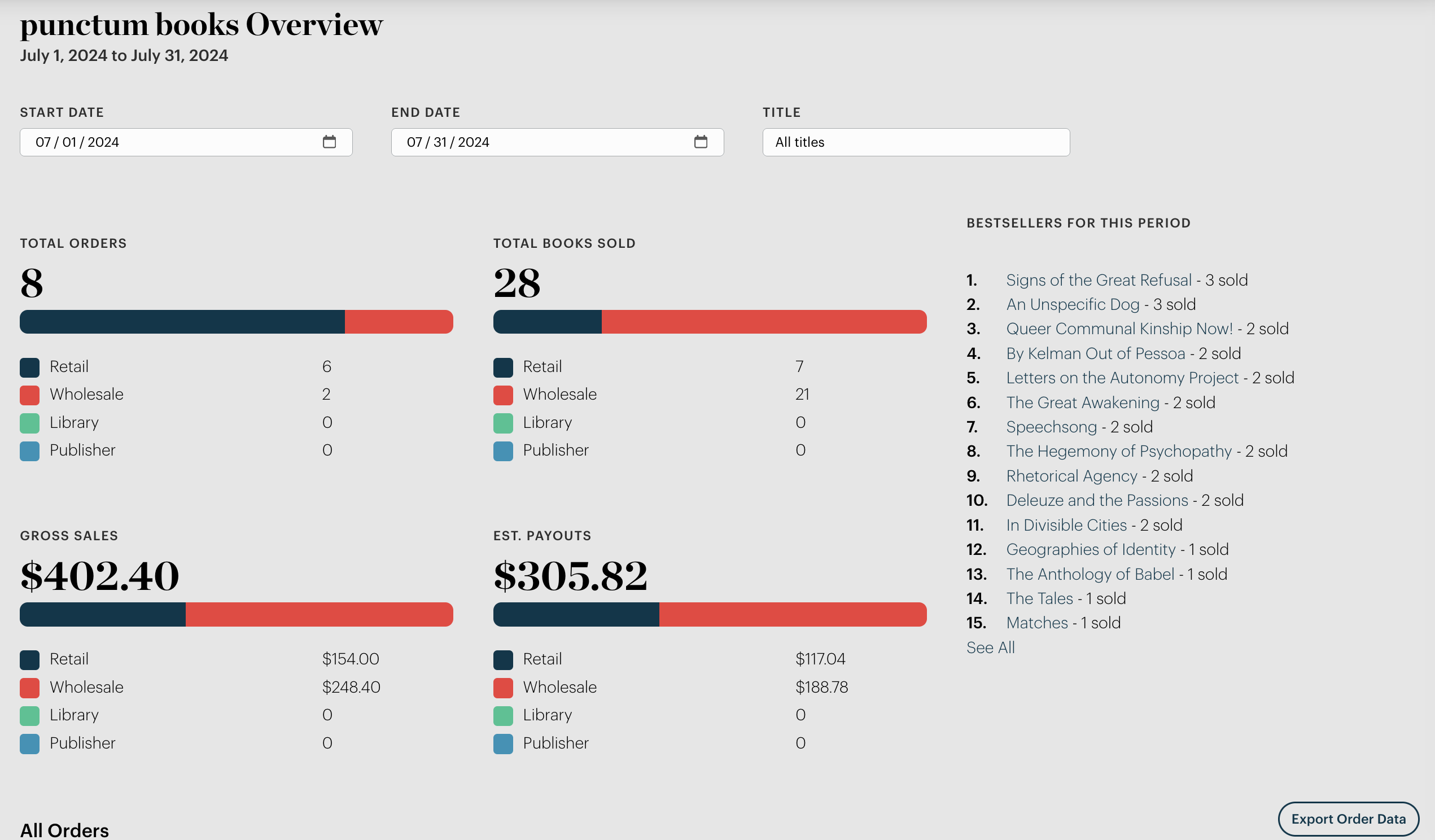
Asterism provides monthly order data via their backend as CSV.
Thoth CDN
The CDN operated by Thoth provides access to our PDF files (books.punctumbooks.com). The CDN also generates usage metrics. They are provided on a monthly basis by Javi from Thoth Open Metadata until an automated system is developed.
.1.00CrossRef Event Data
CrossRef event data are plucked directly from their Query API. There are two DOI prefixes punctum uses, so we need records for both. Just fill in the correct start and end dates:
https://api.eventdata.crossref.org/v1/events?mailto=vincent@punctumbooks.com&obj-id.prefix=10.53288&from-occurred-date=2023-07-01&until-occurred-date=2023-07-31
https://api.eventdata.crossref.org/v1/events?mailto=vincent@punctumbooks.com&obj-id.prefix=10.21983&from-occurred-date=2023-07-01&until-occurred-date=2023-07-31
You can use Postman as a useful API GUI.
EBSCO Ebooks
The data from EBSCO are prepared once a year and need to be requested by email. Be explicit you want them separated out per month. Email Amy Powers: apowers@EBSCO.COM.
The data comes in basically useless form and needs to be fully reformatted in order to be ingested into our MySQL database. See the example from the 2023–2024 data in the folder.
==
Data import happens through phpMyadmin. The tables are under "datadb."
In file to be imported:
- open file to be imported;
- make sure columns align properly;
- delete table headers;
In phpMyadmin:
- click on the pertinent table;
- select Import tab;
- select file
- click "Go."
Once all data are imported, in Metabase:
- Settings > Admin > Databases (in top menu) > punctum books data
- Click Sync database schema now
- Settings > Exit admin
Document Control
| Document ID | SPM-MET-001 |
| Document Owner | Vincent |
| Version | 1. |
| Last Date of Change | |
| Next Review Due Date | |
| Version & Change Tracking |