
KDP Update
1. Overview and Context
This procedure updates the dateKDP table in the SQL Database.
2. Triggers
The execution of this procedure is usually triggered by
3. Steps to Be Performed
3.1 Download
TheDownload Datethe Tablesales indata phpMyAdminfrom needsKDP tothrough its backend. After 90 days, data are no longer downloadable and data entry should be updateddone everymanually, monthwhich withis thea last month.pain.
GoClickto"Reports"DateTablein the main menu on topSQLSelectTab"Orders" from the leftside menu
To add: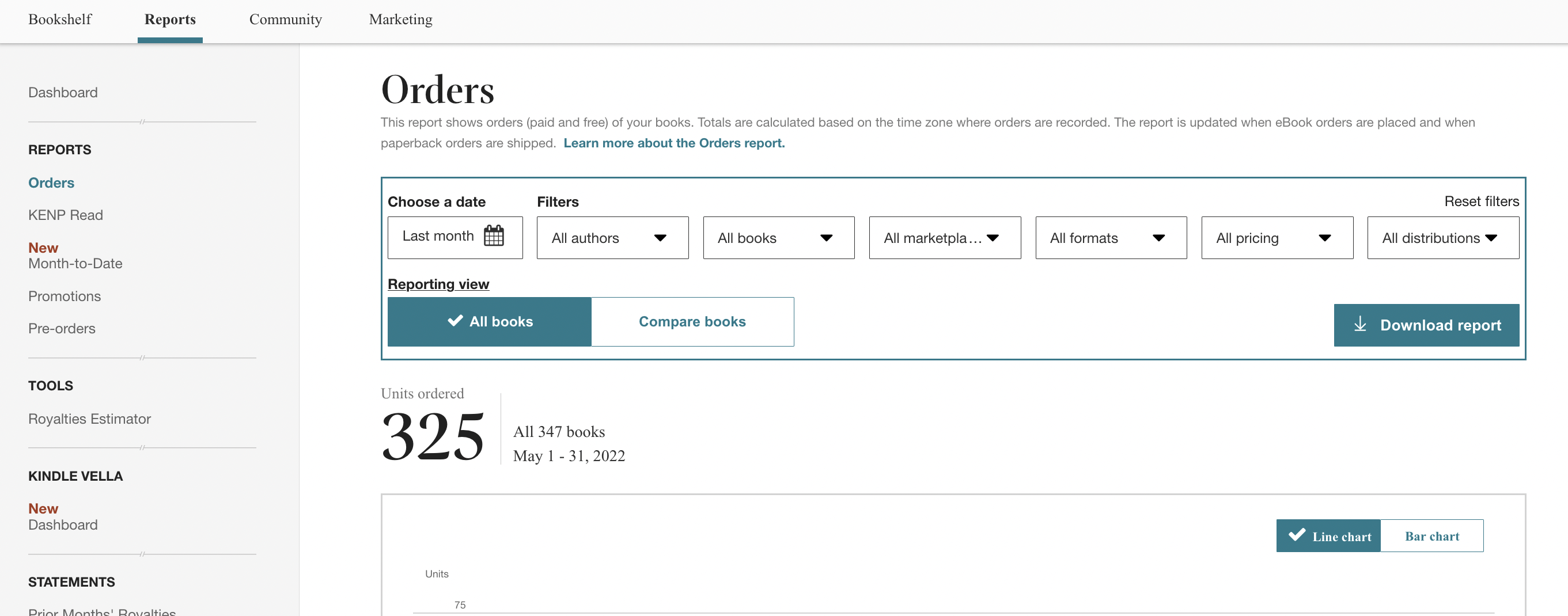
INSERT
3.2 INTOClean
ToLibreOffice
DELETE FROM `DateTable` WHERE `Date` =
3.3 Upload
4. Additional Information
5. Document Control
| Document ID | PRO- |
| Document Owner | Vincent |
| Version | 1.0 |
| Last Date of Change | March 26, 2026 |
| Next Review Due Date | |
| Version & Change Tracking |