# Asterism Books Update
### 1. Overview and Context
This procedure updates the Asterism table in the [SQL Database](https://docs.punctumbooks.com/books/service-component-library/page/sql-database).
### 2. Triggers
The execution of this procedure is usually triggered by
- [Metrics](https://docs.punctumbooks.com/books/service-portfolio-management-spm/page/metrics-process)
### 3. Steps to Be Performed
#### 3.1 Download
[Asterism](https://asterismbooks.com/) provides monthly order data via their backend as CSV.
- In the left menu, go to Home
- Select the pertinent date range
- Click "Export Order Data"[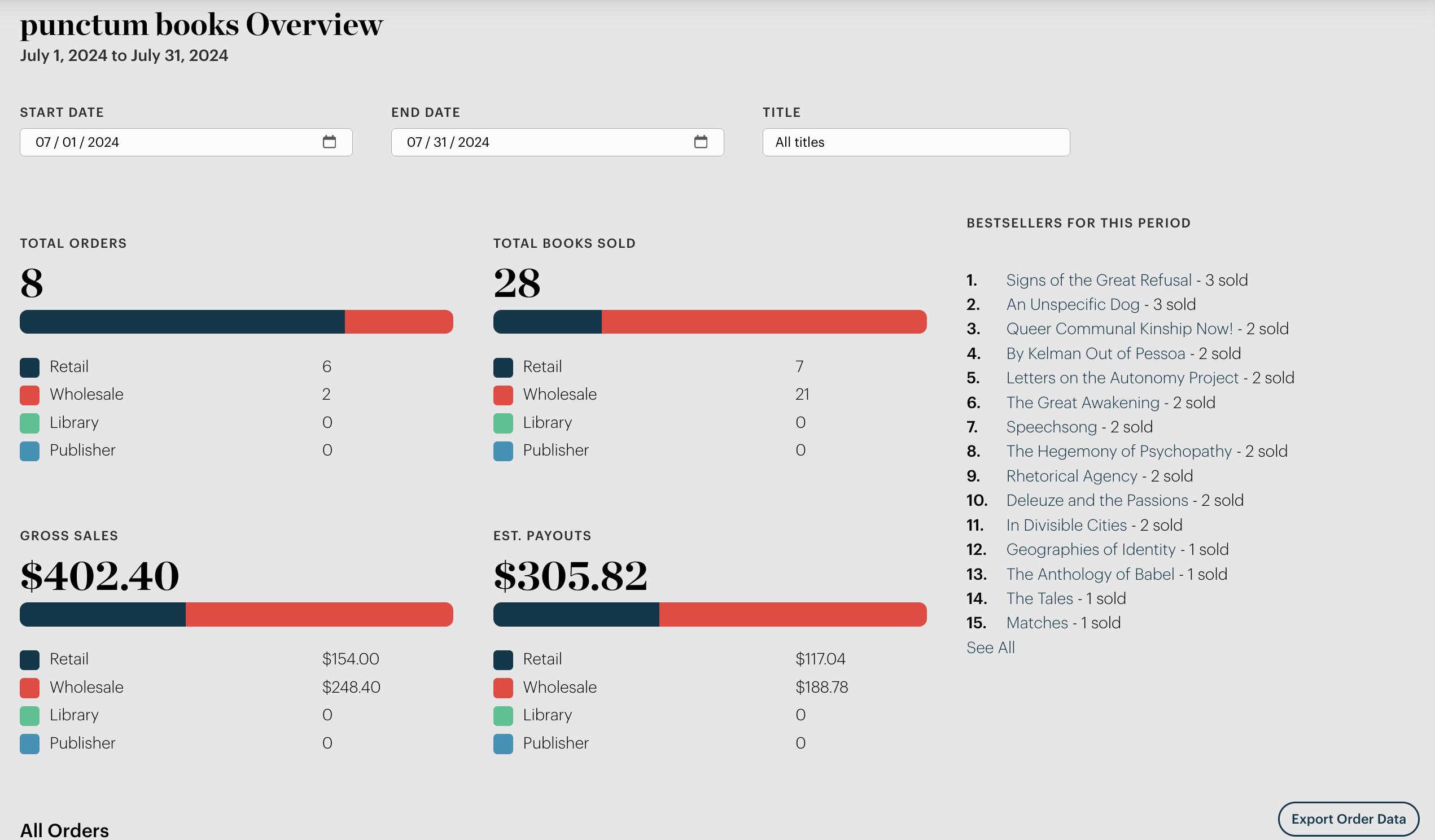](https://docs.punctumbooks.com/uploads/images/gallery/2024-07/4JfxUthlSxIVkvI8-screenshot-2024-07-29-at-11-58-03.png)
#### 3.2 Clean
- Append 1 column to the left, add date in YYYY-MM-01 format
- Delete all rows up to the list of ISBNs
#### 3.3 Upload
- Navigate to phpMyAdmin table "Asterism"
- select Import tab;
- select file
- click "Go."
- archive files under Punctum Admin > Metrics > Asterism
### 4. Additional Information
### 5. Document Control